
May 10, 2026
5 Tips for More Efficient School Scheduling
Discover practical strategies to streamline your timetabling process and reduce scheduling conflicts.
Read More →Capalux uses a smart optimization algorithm to automatically generate optimal schedules, respecting every constraint, every teacher's availability, and every room limitation. Bi-weekly timetables, pinned lessons before generation, and partial edits or regeneration give you full control.
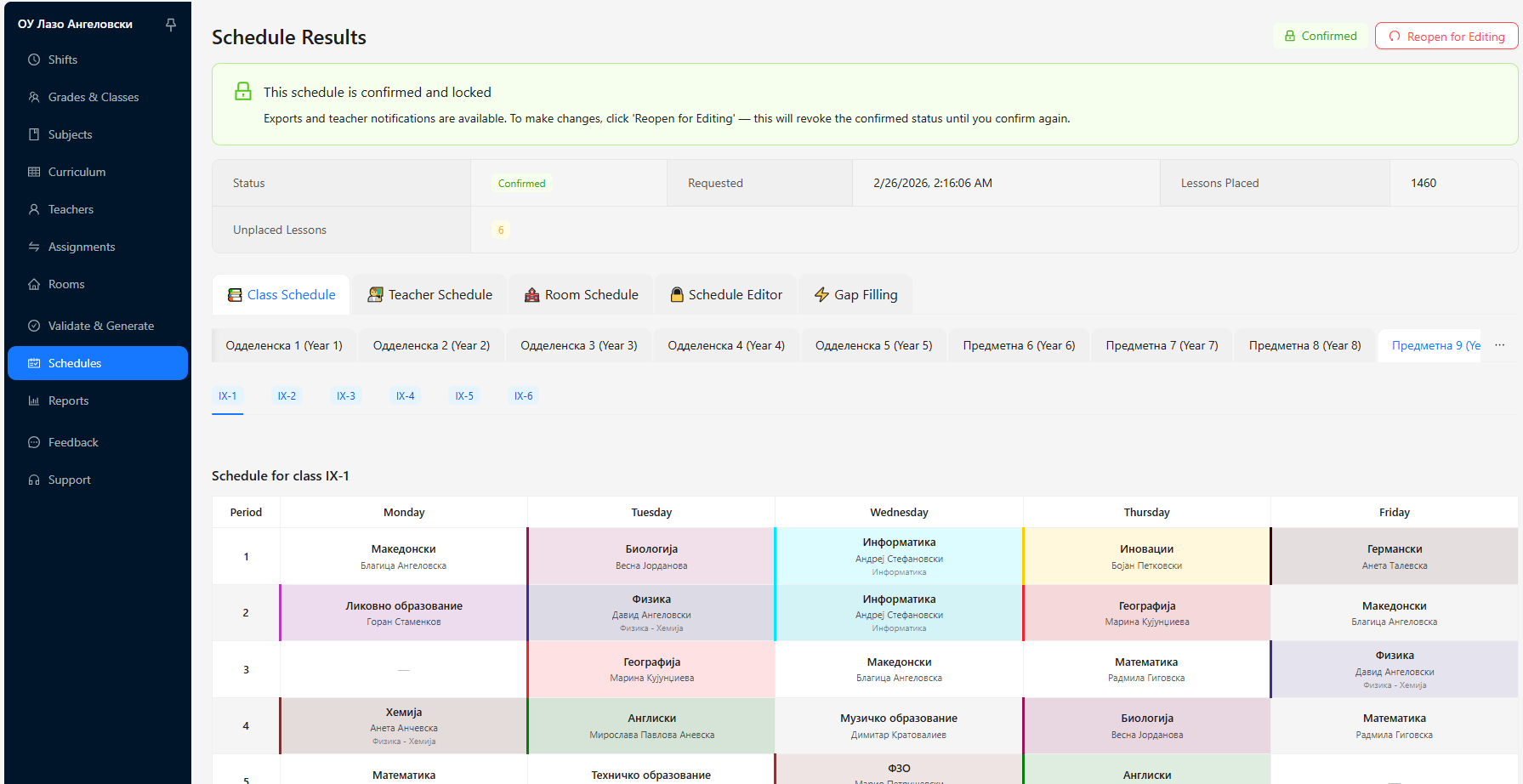
From smart automatic generation to one-click exports, Capalux handles the entire timetabling workflow so you can focus on education.
Our smart optimization engine explores thousands of scheduling possibilities to find the optimal timetable for your school — automatically.
Seamlessly handle single or double-shift scheduling. Configure shift windows, periods per day, and days per week to match your school's needs.
Fine-tune generated schedules with an intuitive drag-and-drop editor. Swap lessons, manage a waiting room for unplaced classes, and see conflicts instantly.
Watch your schedule being generated live with real-time progress tracking. Know exactly how far along the scheduling engine is at every moment.
Export timetables as beautifully formatted PDFs (5 templates to choose from) or sync directly to Google Calendar and Outlook with one click.
Define teacher availability windows, room type requirements, max hours per day, and more. Our engine respects every hard constraint and optimizes soft preferences.
Model alternating weekly patterns when your school runs on a two-week cycle. Keep both weeks aligned with subjects, rooms, and teacher assignments.
Lock selected classes to specific rooms or time slots before the solver starts. The engine fills the rest around your fixed placements without disturbing them.
After a run, adjust lessons manually or tell Capalux to regenerate only a chosen slice of the timetable—without rebuilding everything from scratch.
From setup to printed reports: configure teachers, rooms, subjects, and curriculum; define shifts; build and inspect schedules; review assignments and exports— all in one place.
Our guided wizard walks you through every step. No technical knowledge required.
Use our step-by-step wizard to enter teachers, classes, subjects, rooms, and your curriculum grid. Smart auto-generation helps you set up grades and classes quickly.
Set teacher availability windows, room type requirements, maximum hours per day, and shift configurations. Pre-flight validation ensures everything is ready.
Optionally pin lessons first, then hit generate and watch the engine work in real-time. Our smart algorithm runs thousands of simulations to find the optimal schedule that satisfies all constraints around your fixed placements.
Review the generated schedule by class, teacher, or room. Fine-tune with drag-and-drop, regenerate only a subset if needed, then export as PDF or sync to Google Calendar and Outlook.
Choose the plan that fits your school. Start free and upgrade when you're ready.
Perfect for smaller schools getting started.
No credit card required
For growing schools that need more power.
Promo period: Early Adopter Access — use Capalux for free until July 31, 2026.
Billed every two months
Yearly is 10× one month’s share of the bi-monthly price
For districts and large organizations.
Contact us for a quote
Tips, insights, and updates on school scheduling and timetable optimization.
Discover practical strategies to streamline your timetabling process and reduce scheduling conflicts.
Read More →
Learn how to handle complex teacher availability constraints without sacrificing schedule quality.
Read More →
A comprehensive guide to setting up and optimizing double-shift timetables for your school.
Read More →Have questions or want a demo? Drop us a message and we'll get back to you shortly.
Whether you're managing a single school or an entire district, we'd love to show you how Capalux can save your team hours of scheduling work every semester.